A Transparent PNG Looks Wrong: Inspect Alpha Before Regenerating
Inspect two original teapot outputs, read alpha data and separate preview appearance from actual transparency before another image generation attempt.
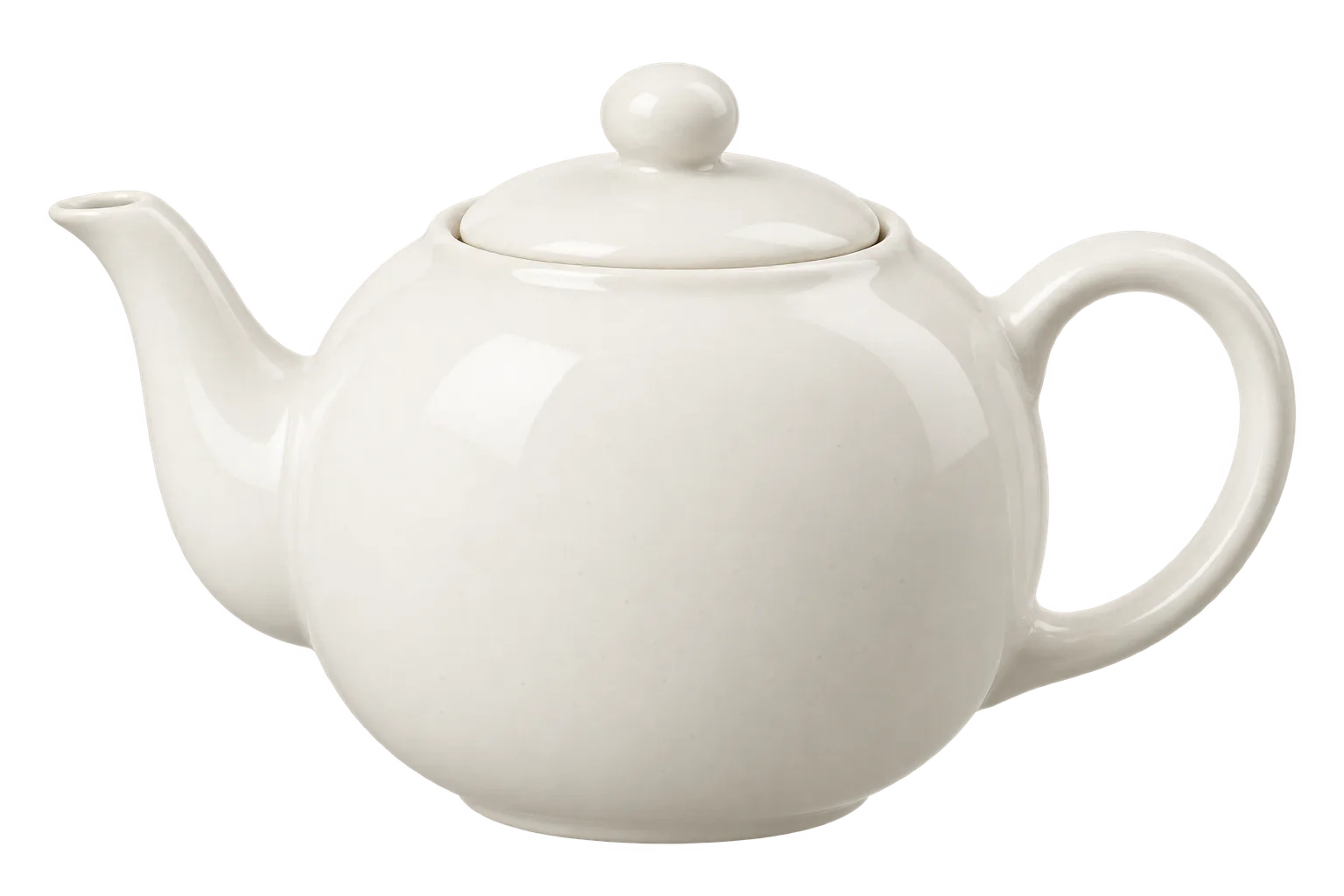
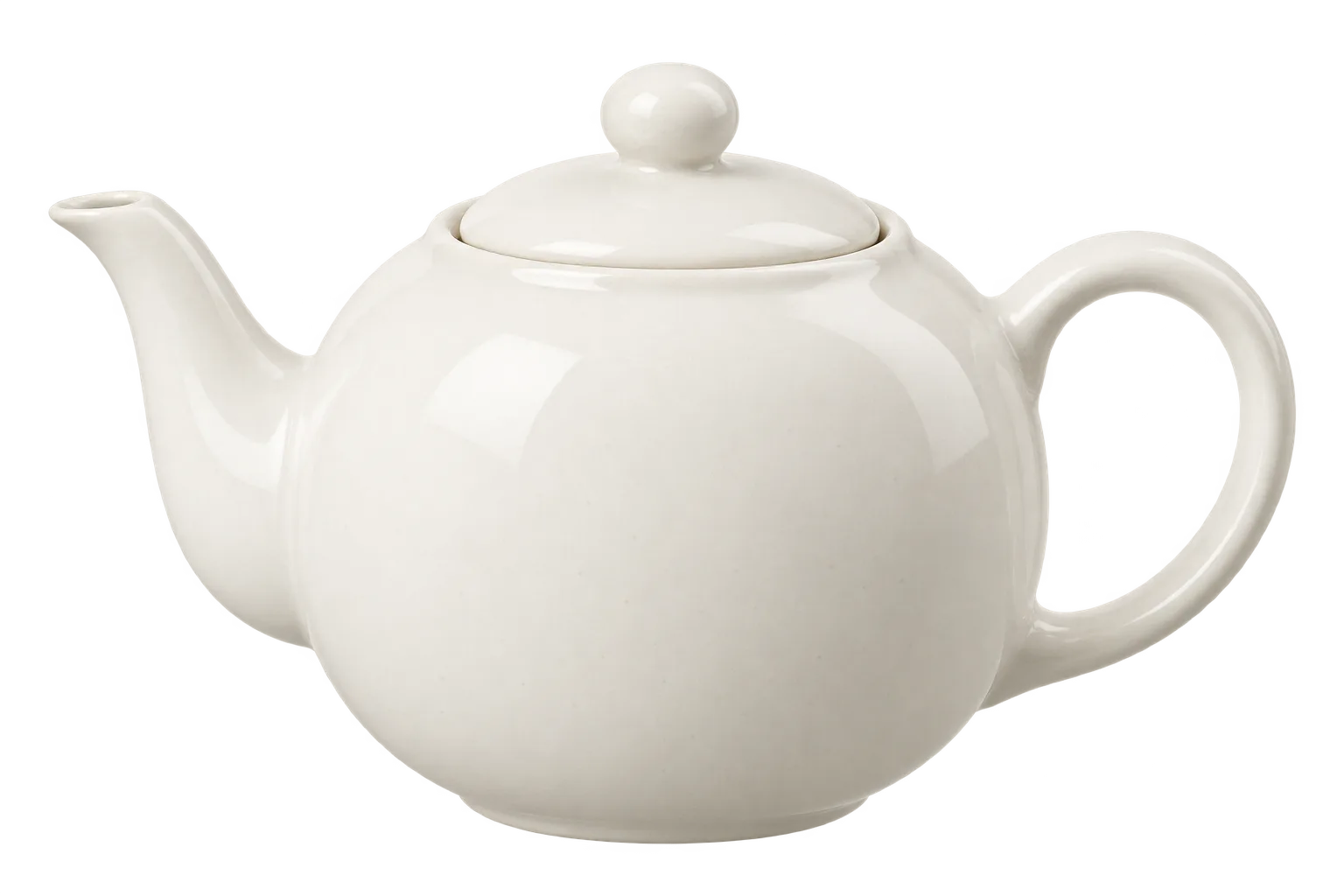
The tool preview of transparent-teapot.png appeared to show a soft glow around the object. Reading selected pixels changed the diagnosis: coordinates (250, 80) in the padding and (1320, 500) inside the handle both had alpha0. At (450, 180), the RGB readings were78,77,74 while alpha was0. These are actual file measurements; they do not establish which rendering behavior produced the preview. No desktop viewer or browser composite was tested. The useful question became narrower: which parts of the appearance are represented by opacity data, and what further check would establish whether the asset works in its intended layout?
The glow in a preview was not a sufficient diagnosis
An RGBA image stores color and opacity separately. Nonzero RGB values can coexist with alpha0, so inspecting color data alone can be misleading when the destination is a composited cutout. A display that treats those color values as visible would present a different result from one that applies opacity. That is a possible explanation to investigate, not a measured diagnosis of the preview renderer used here. The selected coordinate readings establish the contents of those pixels only. Keep the renderer, its background and its treatment of alpha in the investigation rather than assuming that a convincing-looking preview proves an opaque fringe.
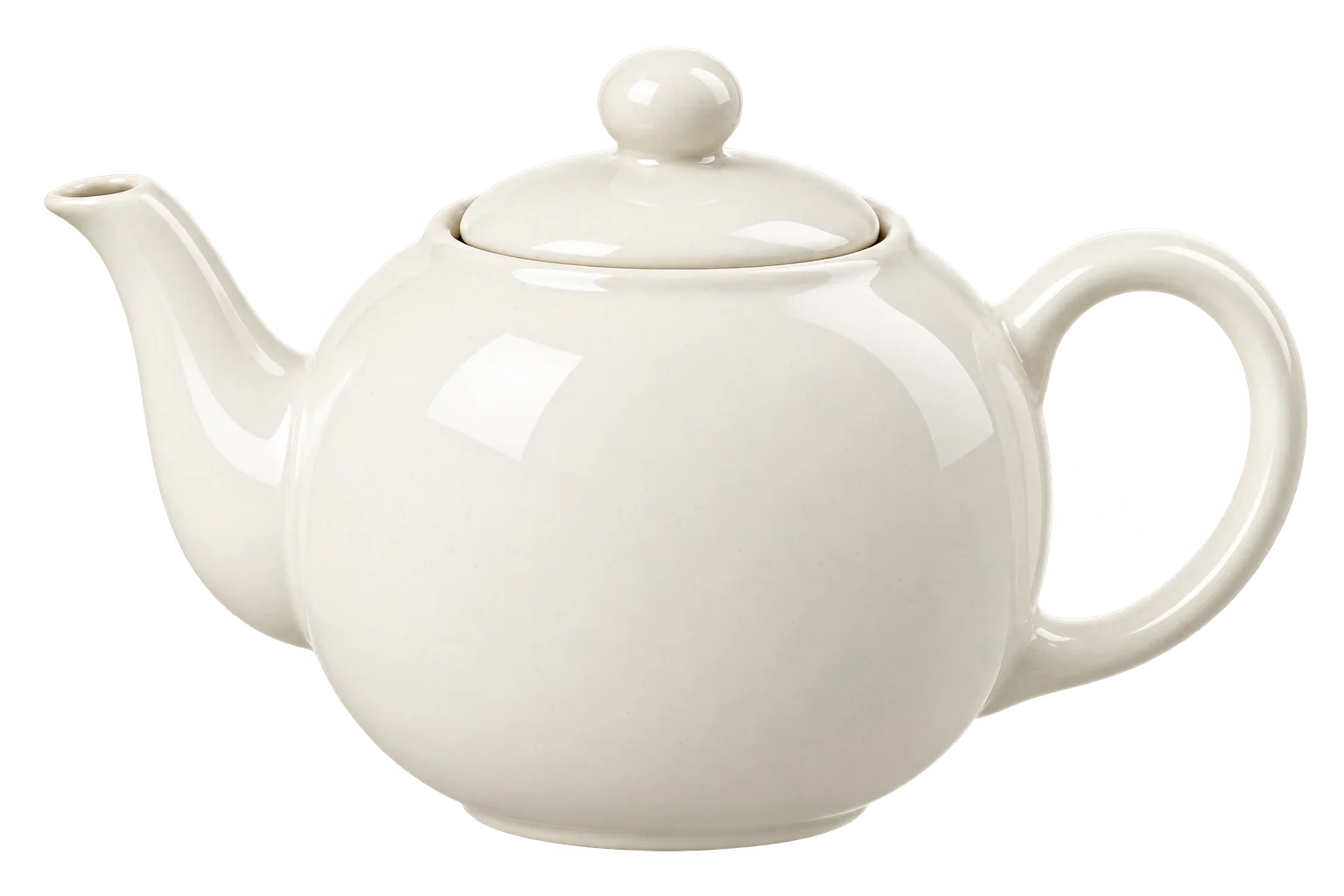
Relying on preview appearance alone to judge asset quality creates an immediate operational risk. In the factual sequence recorded for this investigation, an edit command was dispatched immediately after reviewing the visual preview of transparent-teapot.png. The follow-up request instructed the generator to eliminate the large soft luminous halo surrounding the object and clear out background remnants from the body edges and handle opening. The resulting asset, teapot-clean.png, also arrived as a 1536 by 1024 pixel RGBA image. However, because this secondary iteration was ordered before reading the alpha channel of the original image, it attempted to fix a defect that had never been validated in the underlying file. The coordinates sampled across the padding and handle of the first image already held an alpha value of 0. Editing an image to remove an apparent glow without checking channel data risks altering the object silhouette, shifting edge transitions, and burning iteration cycles on non-existent opacity flaws.
Acknowledging that sampled coordinates carry an alpha value of 0 must not be confused with a comprehensive quality guarantee. The read-only checks performed on transparent-teapot.png and teapot-clean.png verified specific pixel locations and evaluated channel histograms, but they did not composite the files over dark, light, or multicolored backgrounds to measure practical edge visibility. Testing the image against contrasting backdrops in a production browser or within a target compositing layout remains a proposed next step rather than an executed procedure. Spot coordinate sampling demonstrates why a preview cannot be trusted as an opacity measurement, but it does not evaluate every transition pixel along the ceramic boundary. A methodical diagnosis requires distinguishing verified channel numbers from rendering assumptions, ensuring that further production decisions rest on documented data rather than casual visual inspection.
Define a cutout by its intended use
Establishing the operational definition of a transparent cutout begins with understanding its ultimate display environment. Unlike a standalone photograph or framed illustration where RGB pixel values across the entire canvas are viewed directly against one another, a cutout exists specifically to be composited over an arbitrary or dynamic background. The generation prompt for the study asset specified a product-mockup cutout of an unbranded ivory-white ceramic teapot centered on a 1536 by 1024 landscape canvas with generous transparent padding. In an intended product catalog or digital mockup workflow, such an asset must integrate smoothly across varying design contexts, whether placed against a clean white product specification table, a dark promotional hero banner, or a textured editorial background. Consequently, the criteria for determining whether a cutout is acceptable cannot be derived from viewing the RGBA bitmap in isolation inside an arbitrary system viewer or against a hardcoded default checkerboard. The technical requirements of the final placement dictate what constitutes valid pixel data.
Pillow documents getchannel for reading a single channel and getextrema for its minimum and maximum values. These functions inspect pixel data; they do not rate a cutout visually. Pillow Image module reference
Structurally, a product cutout consists of three distinct functional zones: the solid interior of the subject, the exterior canvas padding, and the transitional edge boundary. For an opaque solid such as a ceramic teapot, the interior region must obscure any underlying content completely, preserving the integrity of its surface texture and studio lighting. The exterior padding, which includes isolated enclosed negative areas such as the opening inside the teapot handle, must register zero opacity so that underlying layouts show through without color casting or background tinting. Between these two zones lies the boundary perimeter, where fractional alpha values provide antialiasing to prevent harsh, pixelated stair-stepping. This transitional zone is inherently sensitive because antialiased pixels mathematically blend edge RGB values with partial opacity. If an asset generation process calculates edge transitions while assuming a specific background color, those partial alpha pixels can inadvertently preserve fringing that becomes visible only when the asset is placed against an unexpected contrasting surface.
Open the original teapot PNG output in an alpha-aware viewer alongside the article image. The public upload was checked for an alpha channel; a viewer that shows RGB values alone can still be misleading.
Record which preview you used and which question it can answer. A tool preview can help identify the teapot, inspect its lid and notice a possible edge issue, but its appearance alone does not expose the value of every alpha sample. Conversely, an alpha histogram cannot tell you whether the ceramic looks convincing. For the proposed target-layout check, use the exact retained file and note the background and display scale. If an issue appears only in one view, compare the delivered bytes and the renderer behavior before changing the generation prompt. This study did not execute that rendering comparison, so the cause of the preview appearance remains unconfirmed.
Setting formal acceptance standards for cutout assets requires defining exact expectations for each zone relative to the target application. If an asset is slated strictly for a light-themed e-commerce storefront, subtle edge transitions against dark backdrops might never manifest in user-facing views, whereas faint residual shadows on white surfaces would constitute an immediate defect. Conversely, assets deployed across versatile design systems or responsive applications where themes toggle between light and dark modes must undergo rigorous composite validation across contrasting backgrounds. Such evaluation, however, represents a separate, proposed testing procedure involving controlled browser or canvas compositing rather than an immediate visual appraisal in a file explorer. By defining what the cutout must accomplish in its destination environment before initiating edits, production teams can avoid diagnosing non-existent flaws and ensure that subsequent technical checks focus on true operational requirements.
Read the actual two files without editing pixels
The retained generation outputs were read locally on24October2026. The analysis examined transparent-teapot.png and teapot-clean.png without modifying either file. It recorded channel mode, dimensions, hashes, alpha extrema, histogram counts and selected pixel coordinates. Those measurements answer questions about the file data, not the visual result in every application. They provide a reproducible starting point for deciding what to inspect next. They cannot by themselves determine whether the preview composited correctly, rate the edge quality or establish that the edited output was an improvement.
The analysis was carried out using a specialized read-only script built with Python and Pillow. The script loads each target file, confirms the presence of the alpha band, isolates that channel using the Image.getchannel method, and records extrema alongside channel-wide histograms and exact coordinate probes. The script contains the following logic: from pathlib import Path; import hashlib, json, sys; from PIL import Image. For each path supplied, it computes the SHA-256 digest, checks that the image mode includes an alpha band, retrieves the alpha channel via image.getchannel('A'), collects histogram metrics, queries image.getextrema(), and samples defined coordinate locations before outputting the structured dictionary. Because Image.open and Image.load only read existing bytes into memory without triggering write operations or color conversions, the underlying files remain completely unaltered throughout the check.
Executing this script against transparent-teapot.png (SHA-256 hash 60e4fbe18ff7ce520faf1d350c57ec2d5af2b577dd051e030e3cc16b7613f0fb) confirmed that the file was encoded in four-channel RGBA mode at dimensions of 1536 by 1024 pixels. Querying the alpha channel with getextrema revealed a minimum alpha value of 0 and a maximum of 254. A histogram distribution of this channel showed 848,881 fully transparent pixels with an alpha value of 0, exactly 0 fully opaque pixels with an alpha value of 255, and 723,983 intermediate pixels carrying partial alpha values between 1 and 254. Pillow documents getchannel for reading a single channel and getextrema for its minimum and maximum values; these functions inspect pixel data rather than rating a cutout visually. This distinction is critical because the presence of partial alpha pixels indicates gradual transitions, but does not inherently prove or disprove edge cleanliness.
The second file, teapot-clean.png (SHA-256 hash 8423a0c4de54fa172327134e6123bef4619f16b54a7bd91e400224cbcf8c3af5), was analyzed using the identical procedure. It shared the 1536 by 1024 RGBA structure and produced an identical alpha extrema range of 0 to 254. Within its alpha channel, the script recorded 828,272 fully transparent pixels at alpha 0, 0 fully opaque pixels at alpha 255, and 744,592 partial alpha pixels distributed across the range of 1 to 254. Comparing these baseline distributions demonstrates that while the second file resulted from a prompt specifically requesting the removal of apparent halos, both outputs preserved broad zones of complete transparency alongside extensive intermediate gradations. The identical dimensions and similar aggregate counts illustrate that generating an edit does not automatically collapse partial values into a hard binary boundary.
The sampled padding coordinates were transparent in both files, while the full alpha histograms contained no255 values anywhere. These are different kinds of observations: one is spatial but sparse, the other covers the channel but loses location. Neither justifies declaring that every margin pixel is clean. The code prints the measurements without an automatic pass/fail quality threshold. A reader can use that output to preserve the distinction between a format property, a selected pixel fact and a decision about the intended visual use. No screen capture or composited background was measured in this procedure.
alpha_probe.py
from pathlib import Path
import hashlib, json, sys
from PIL import Image

def inspect_alpha(path):
    path = Path(path)
    with Image.open(path) as image:
        image.load()
        result = {'filename': path.name, 'sha256': hashlib.sha256(path.read_bytes()).hexdigest(), 'mode': image.mode, 'size': list(image.size), 'has_alpha': 'A' in image.getbands()}
        if not result['has_alpha']:
            return result
        alpha = image.getchannel('A')
        histogram = alpha.histogram()
        result.update(alpha_extrema=list(alpha.getextrema()), fully_transparent_pixels=histogram[0], fully_opaque_pixels=histogram[255], partial_alpha_pixels=sum(histogram[1:255]))
        points = {'top_left': (0, 0), 'above_body': (768, 15), 'body_center': (768, 600), 'handle_opening': (1320, 500), 'left_upper_padding': (250, 80)}
        result['samples'] = {key: {'xy': list(xy), 'alpha': alpha.getpixel(xy)} for key, xy in points.items() if xy[0] < image.width and xy[1] < image.height}
        return result

if __name__ == '__main__':
    print(json.dumps([inspect_alpha(path) for path in sys.argv[1:]], indent=2))
Recorded local check: Actual read-only inspection of the two retained generated files. No image pixels were edited; alpha counts and selected coordinate samples only. No unit-test coverage or perceptual cutout score is claimed.; environment: Python3.12/Pillow on Windows
Interpret the histogram and the coordinate samples
An aggregate histogram provides essential channel totals, but it contains no spatial coordinates. In transparent-teapot.png, the histogram documents 848,881 pixels sitting at an alpha value of 0 alongside 723,983 intermediate values spanning 1 to 254. In teapot-clean.png, the distribution shifts slightly to 828,272 fully transparent pixels and 744,592 intermediate values. While these broad counts confirm that both files dedicate substantial canvas real estate to complete transparency and anti-aliased transitions, the histogram alone cannot reveal where those values live across the 1536 by 1024 grid. It cannot clarify whether intermediate alpha values are tightly hugging the silhouette of the ceramic body or bleeding outward into the margins. Evaluating a cutout requires pairing aggregate frequency data with localized coordinate probing to connect numerical quantities to precise canvas locations.
Probing specific coordinates in outer padding regions explains why uncomposited RGB previews produce deceptive visual impressions. In transparent-teapot.png, sampling coordinate (250, 80) in the upper-left margin and coordinate (768, 15) directly above the lid yielded an alpha value of 0. Additional perimeter coordinates reveal the underlying color data stored behind complete transparency. At coordinate (450, 180), the RGBA values were recorded as 78, 77, 74, and 0. At (100, 500), the values were 105, 104, 100, and 0. At (1100, 140), the values were 38, 37, 35, and 0. At (1500, 500), the values reached 176, 171, 161, and 0. In teapot-clean.png, coordinate (1500, 500) registered RGB values of 199, 193, 179 paired with an alpha value of 0. In an image viewer that ignores alpha or renders RGB buffers directly, these nonzero values display as a soft, luminous cloud. In standard compositing, however, an alpha value of 0 instructs the rendering pipeline to multiply those RGB channels by zero, rendering the underlying color invisible.
The handle opening provides a useful selected probe because it is enclosed negative space rather than outer padding. Coordinate (1320,500) had alpha0 in both files. At (1280,520), the original RGBA values were139,136,130,0, and the second output values were143,139,132,0. These samples establish complete transparency at those points; they do not certify the whole handle opening or identify the exact boundary. A proposed next inspection would cover additional locations near the handle perimeter and then view the result in the destination layout. Keep a point measurement as a point measurement rather than turning it into a claim that all segmentation is correct.
Neither file contains alpha255; the maximum is254. At the selected body coordinate (768,600), the original alpha is254 and the edited alpha is253. Dividing254 by255 gives about0.996 as a normalized opacity value, but that arithmetic is not a perceptual test. Whether a difference matters depends on the placement, background and acceptance rule. This study did not measure visibility or contrast. If a specification explicitly requires255 inside a solid subject, these files do not meet that numeric rule. If the specification concerns appearance, the required visual check still needs to be performed. Do not silently replace one kind of requirement with the other.
Coordinate sampling also highlights minor boundary discrepancies without guaranteeing overall edge fidelity. At coordinate (0, 0) in the extreme top-left corner, transparent-teapot.png recorded an alpha value of 1, representing a nearly imperceptible trace of partial opacity, whereas teapot-clean.png recorded 0. Point samples provide verifiable truth for specific pixel addresses, but they do not trace the entire perimeter or certify edge transitions along the spout. Histogram totals and localized pixel coordinates provide the necessary diagnostic evidence to prevent unnecessary generation cycles, establishing measurable opacity facts where visual previews merely show uncomposited RGB color.
Inspect delivery as a separate step
Confirming that a generated master image possesses a valid alpha channel does not guarantee that the graphic will display correctly in its final production environment. A file that passes local channel inspection can still exhibit severe rendering defects once ingested by a content delivery network or web application. Image generation utilities output standalone files, but modern publishing workflows rarely serve raw high-resolution masters directly to end users. Instead, digital asset management tools, responsive image pipelines, and caching layers automatically ingest, resize, and re-encode media assets before they reach a browser. As a result, technical evaluation of cutout transparency must be separated into two distinct stages: inspecting the raw generated asset to confirm that opacity data exists as intended, and inspecting delivered responsive assets to ensure the publishing infrastructure has not degraded that data.
The supporting uploads were retrieved from their public WordPress source URLs and inspected for dimensions, alpha presence and extrema. The local receipts record that limited check. It did not download or test every responsive derivative, and it did not measure a browser screenshot. For a proposed deployment audit, identify the exact URL selected by the page before checking its file data. A source upload, thumbnail, cached version and deliberately flattened preview can be different assets. If they differ, first establish which representation the publishing configuration intended to deliver instead of assigning the cause to generation or to a named server image processor without evidence.
The second teapot output came from a request to remove the apparent glow. It is a second sample to inspect, not proof that the first image needed repair or that every edge became better.
Distinguishing pipeline errors from generation defects also requires separating internal data verification from browser-level compositing checks. In the underlying inspection of the two teapot files, analysis was restricted to read-only array interrogation and histogram analysis; no live browser screenshots, CSS background tests, or compositing evaluations across dark and light surfaces were performed. In a standard production rollout, such compositing checks represent a necessary proposed stage of acceptance testing. Placing an asset against varied digital backgrounds—such as pure white, deep charcoal, and contrasting brand colors—reveals how antialiased edge transitions interact with diverse substrates. An edge gradient that appears seamless against mid-tone gray can reveal faint halo lines when set against dark user interface elements if RGB color values in edge pixels were calculated against an assumed light studio setup rather than neutral transparent space.
A proposed delivery check can fetch each relevant public asset and record its URL, byte hash, dimensions, mode and alpha information. Compare the source upload separately from resized representations: their file hashes will normally differ after encoding, so an unequal whole-file hash alone is not a transparency failure. For equal-size files, channel comparisons can answer a narrower question, while a resized asset needs a size-aware acceptance rule. If an expected transparent derivative is fully opaque, that is a representation difference to investigate. Confirm its intended role, version and configuration before changing the original image. This procedure is suggested work; the supporting-source checks do not establish results for untested variants.
Choose a focused correction only after finding a defect
The edit in this investigation preceded detailed alpha inspection. That sequence is worth recording because it limits how the second file can be interpreted: it is another generated sample, not proof of a successful repair. The sampled locations in the original already had alpha0, while other boundary pixels were not comprehensively evaluated. A new edit may alter highlights or contours, so compare it with the retained source rather than assuming a prompt targeting one property can change only that property. No claim about the internal generation algorithm or pixel locking is needed to make that acceptance decision.
First distinguish a format question from an opacity defect. The supplied script explicitly inspects files with an A band and was run on two RGBA PNGs. Its has_alpha result is not a universal detector for every image format: a palette image can carry transparency information without an A band in getbands. If adapting the script, inspect the format and transparency metadata and add appropriate fixtures before making a general rejection rule. For these two files, the question is simpler because an alpha band is present. If a supposedly clear region has nonzero opacity, localize the region and decide whether it represents an intended edge, shadow or unwanted remnant before editing.
A third distinct category is edge fringe contamination along antialiased transitions. When pixels with alpha values between 1 and 254 retain high RGB color values derived from an assumed light studio backdrop, those pixels can produce visible light borders when composited over dark backgrounds. Verifying this behavior requires controlled compositing checks—such as rendering the asset over contrasting dark and light surfaces—which were proposed as standard acceptance procedures rather than conducted during the initial read-only file extraction. If edge fringing is confirmed through systematic compositing, attempting to correct it through repeated generative prompting often yields inconsistent results. Text instructions asking for clean boundaries provide no programmatic control over how an underlying synthesis model calculates RGB values within semi-transparent transition pixels.
For a confirmed defect, choose a correction method that addresses the affected region and preserve the source. An image editor or a carefully specified processing operation may offer more explicit control over alpha than another broad prompt, but this study did not compare methods or measure processing time. Thresholding can destroy antialiasing, and cropping can remove intended content, so neither should be treated as an automatic fix. A focused generative edit is another option when the object itself needs revision. In each case define what may change, save a separate output and repeat the relevant acceptance checks. No cleanup operation was executed by the read-only analysis shown here.
Finish the diagnosis with a recorded decision, including its limits. Alpha0 at a sampled point means the point is transparent; it does not mean every visible anomaly has been explained. An apparent glow without a confirmed opacity defect calls for a controlled rendering check before regeneration. A channel or export problem calls for identifying the affected representation. A verified edge problem calls for a local correction and another acceptance pass. Keep any unperformed checks in the next-step list. This approach turns a preview concern into a sequence of answerable questions without treating an edit response or a histogram as a blanket quality certificate.
When you inspect a background-only image edit, separate the scene change from the object properties you need to preserve. Here the narrower question is whether opacity data supports the preview diagnosis, rather than whether a new background looks attractive.
Prepared with AI assistance and automated editorial reviews. The two fictional teapot images were generated and their existing pixel data inspected. No physical object was photographed, no human review was claimed and no composited display test was run.